
Goodbye Microsoft Store, Hello Browser Play!
Support for Angry Birds Friends Microsoft Store version will end in December. This decision was made because the platform is no longer supported by our partners.
As of September 1, 2025, purchasing items or coins in the Microsoft Store version is turned off. You can still use any coins or items you bought previously.
- The most important step: connect your game to Red’s Club so you don’t lose your progress. Keep reading to learn how to save your progress and continue playing the game!
Save Your Progress and Keep Playing Angry Birds Friends
Quick Steps 👇
1. In the Microsoft Store version of the game, click on the Red’s Club button and then sign in to Create New Account
2. Type in your email address
3. Enter the verification code sent to your email
✅ Now your progress is saved!
4. Go to Red’s Club: https://redsclub.com/ab-friends/play/
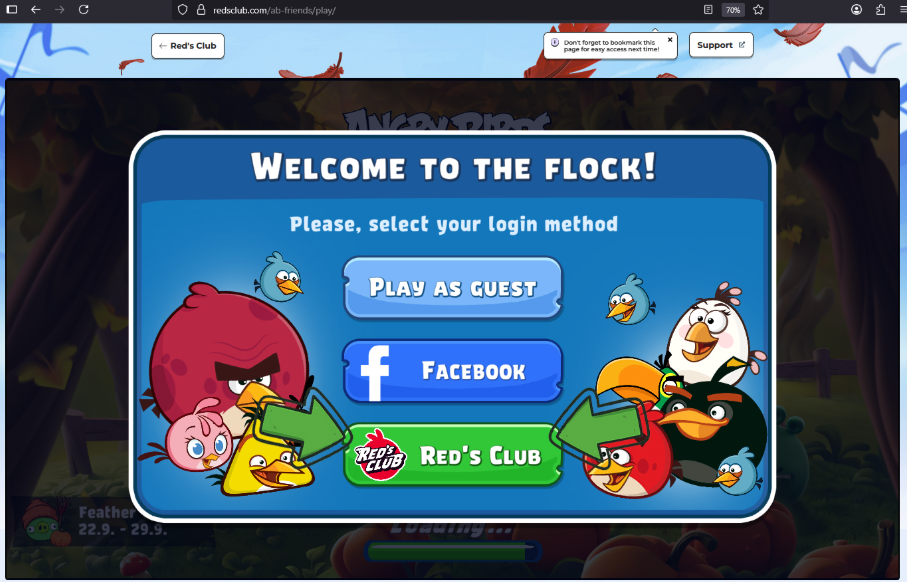
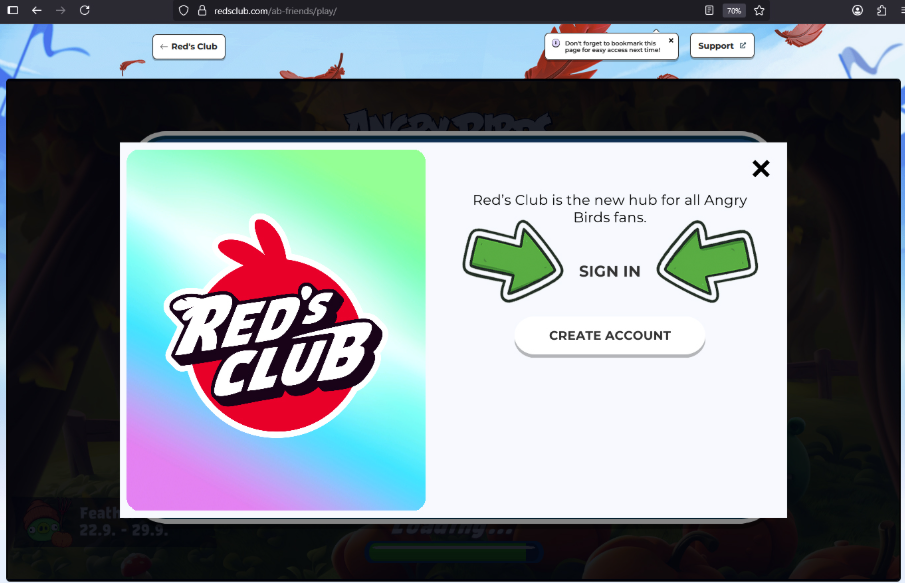
5. Log in with your Red’s Club account details (using the same email) and click SIGN IN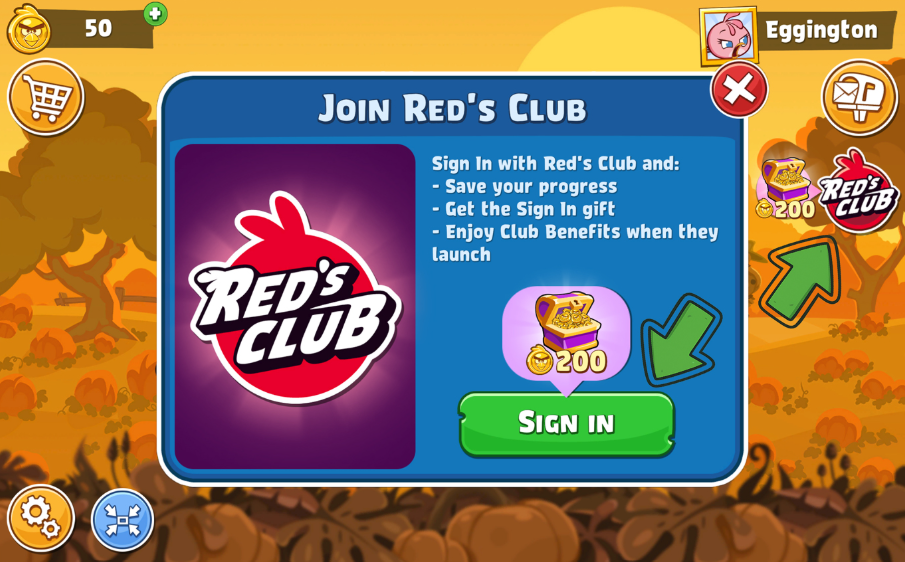
Why Register with Red’s Club?
- Keep Your Progress Safe: Your game data will always be saved.
- Play Anywhere: After saving, you can continue playing directly in your browser or on any other supported platform.
- Get Rewards: Register for Red’s Club to instantly earn 200 Bird Coins.
Then, follow the in-game prompts and play Angry Birds Friends on the web for the first time to collect 1,000 additional Bird Coins, plus a 400-coin welcome bonus when you arrive on the web version.
What are the benefits of playing on Angry Birds Friends WEB?
- Get 1000 Bird Coins for playing on the web for the first time, plus an additional 400-coins as a welcome gift!
- A larger, scaleable screen. 🔎
- Reduced downtime and enhanced stability. 😌
- Check out all the benefits here!