
Tell me more about the New Camera!
- The New Camera was designed specifically to help you keep sight of all the smaller elements on mobile screens—never lose sight of your birds or those pesky pigs!
- It's also toggleable, so if the New Camera isn't for you, you can turn it off at any time.
How do I turn it on?
You can enable it in just a few taps:
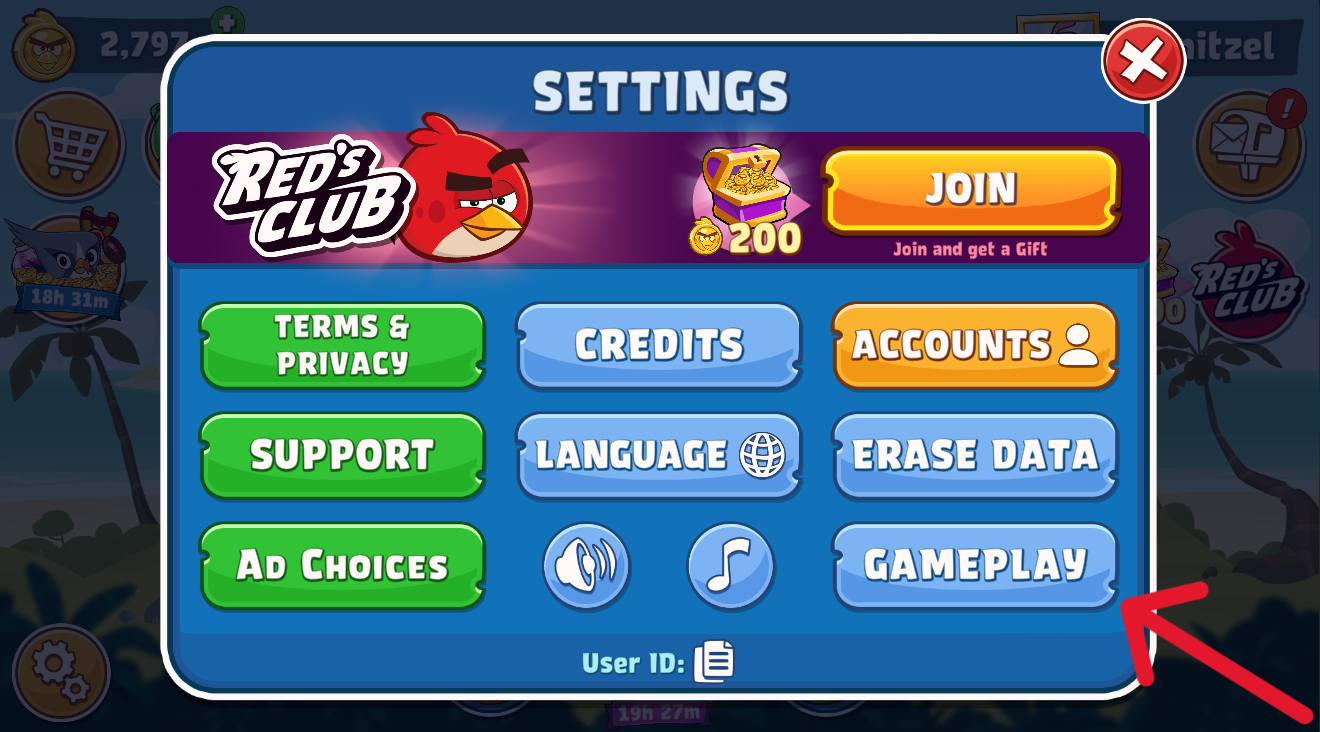
Open the Settings cogwheel in-game
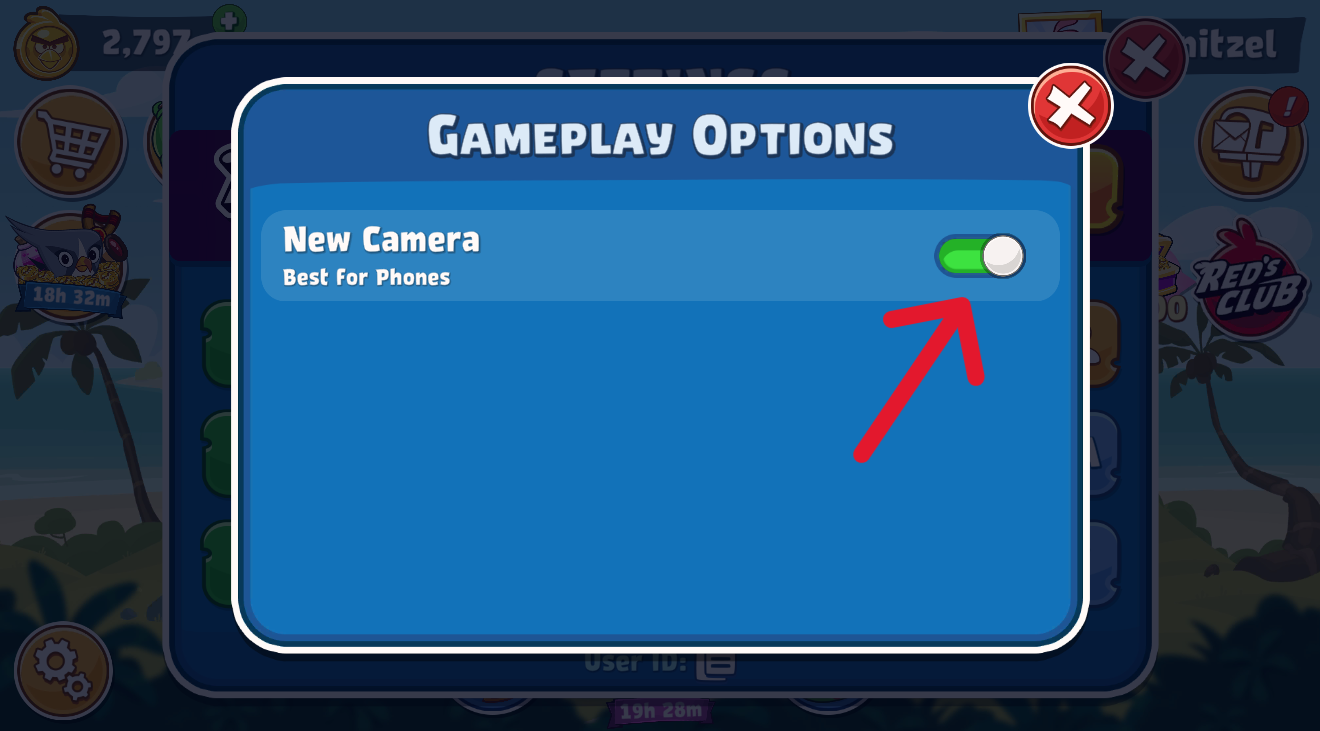
You'll see a new button called Gameplay, tap it!
Turn the "New Camera" toggle on. If it's on, it should be green.
How can I share my feedback?
- We’d love to hear what you think! We’ll be sending out a survey soon, but in the meantime, our Player Support team is here to help. Reach out if you hit any snags with the New Camera or just want to share your thoughts right away.